Transform Data Using SQL With Stages
Bragi lets you transform data using SQL by configuring a Stage. Stages are a powerful way to apply business rules, join datasets, and reshape data before loading it into dimensional models or reports.
What Is a Stage?
A Stage lets you to populate a warehouse table using your SQL logic, written directly in Bragi’s UI.
When you define a Stage, Bragi creates a Stored Procedure containing your SQL INSERT statement.
Each time the Stage runs, the stored procedure executes, clearing and fully repopulating the target table.
When to Use Stages
Typical use cases for Stages include:
Applying business rules or calculations
Joining together multiple datasets
Restructuring or enriching source data before downstream use
Step 1: Name Your Stage
Choose clear, descriptive names for Stages.
You’ll need to fill out a few fields:
Field | Description |
|---|---|
Schema | The database schema where this Stage will live. (Create new with the + button if needed.) |
Name | Actual name of the Stage table in the warehouse. |
Display Name | Bragi’s friendly name for your Stage (useful if the warehouse name is technical). |
Description | Purpose of the Stage. Critical for maintenance and handover. |
Indexes | Define which columns to index, and whether indexes should regenerate on insert. Use the dropdown to configure. |
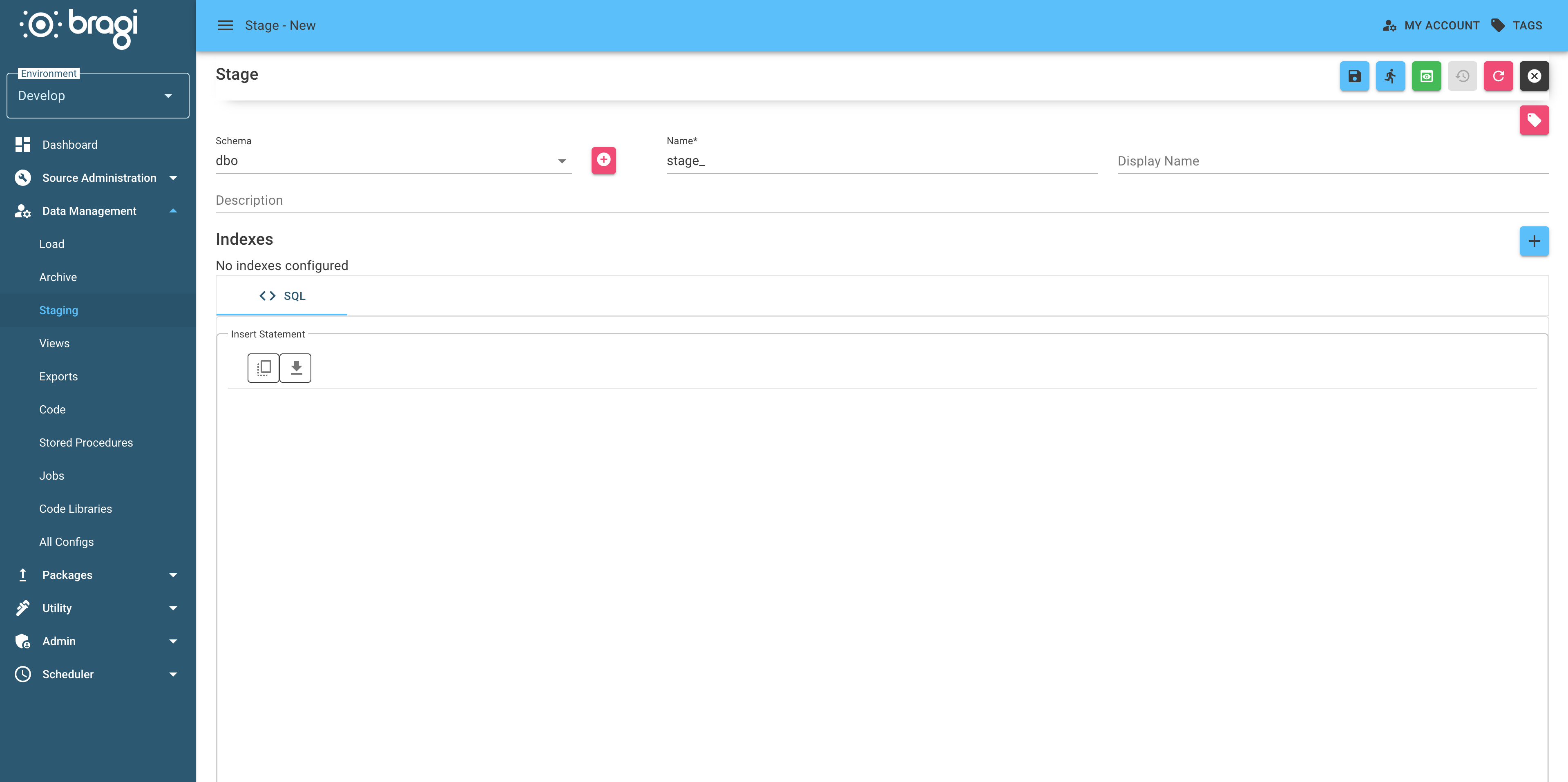
For best practices in naming conventions, refer to Naming-Configs.md.
Step 2: Write Your Transformation SQL
Input your SQL transformation logic directly in Bragi’s UI.
Bragi will wrap this logic in a Stored Procedure, which gets deployed with the rest of your configuration.
Key points:
The target table is fully cleared before your SQL runs (unless you use custom Code Components).
You can preview results and test your logic prior to deployment using 'Preview Script'.
After writing your SQL, click Infer from SQL.
This action runs your SELECT statement and Bragi will automatically infer column structures, data types, and nullability settings.
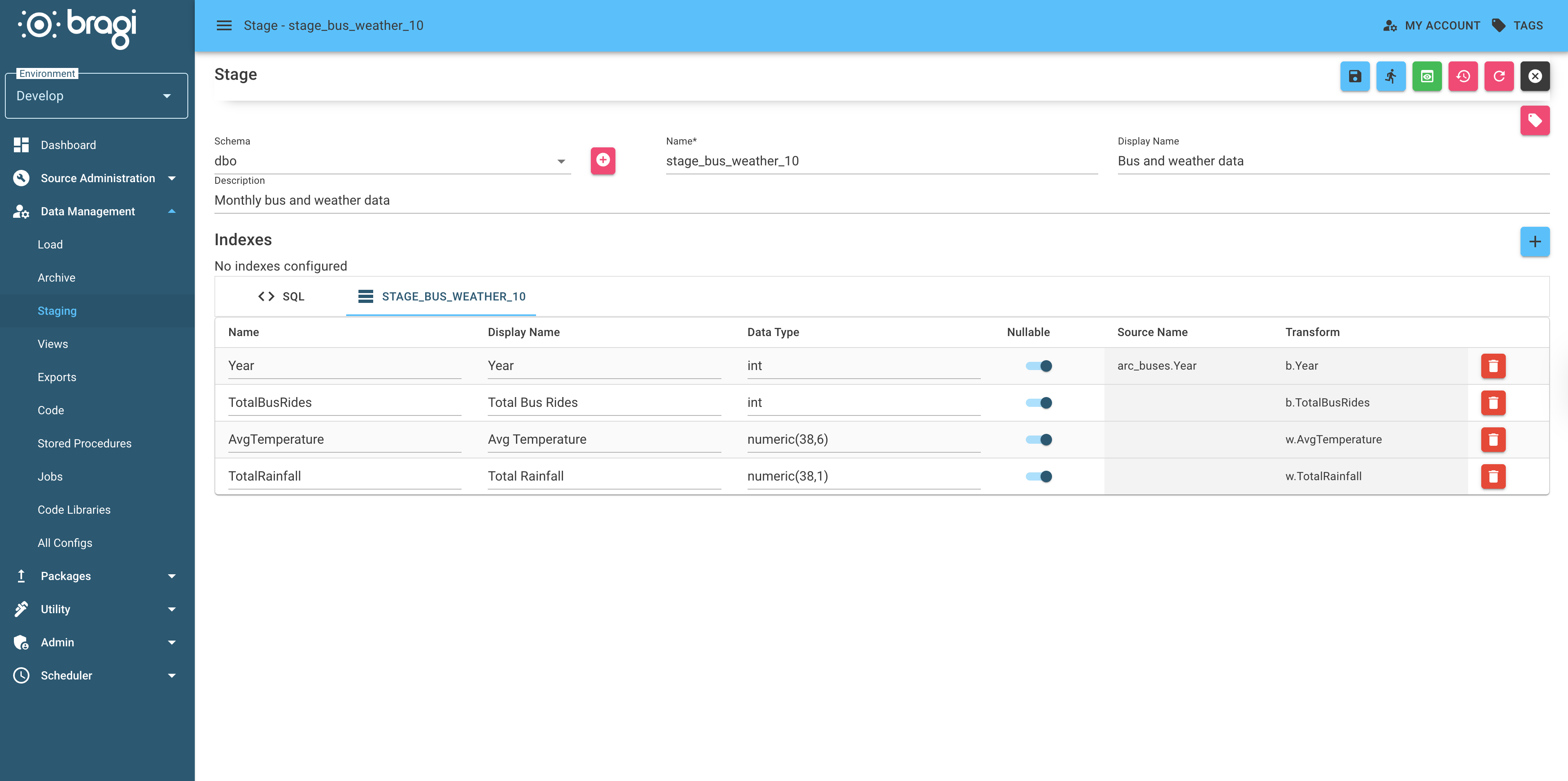
You can manually adjust inferred types and nullability before saving.
Advanced: Indexes
Bragi supports adding indexes to Stage tables if you need them for query speed or integrity.
Visit the dedicated indexing documentation for more information on configuring indexes in Bragi. Most users won’t need to configure indexes unless performance is a concern.
Advanced Transformations
If your use case involves APIs, complex logic, or C#, check out Code Components for more flexibility.