Stage
Stages let you populate a table using SQL.
Under the hood, a Stage creates a Stored Procedure containing the SQL INSERT statement you write directly in Bragi’s UI. When the Stage runs, that procedure gets executed and the Stage’s target table is cleared and repopulated.
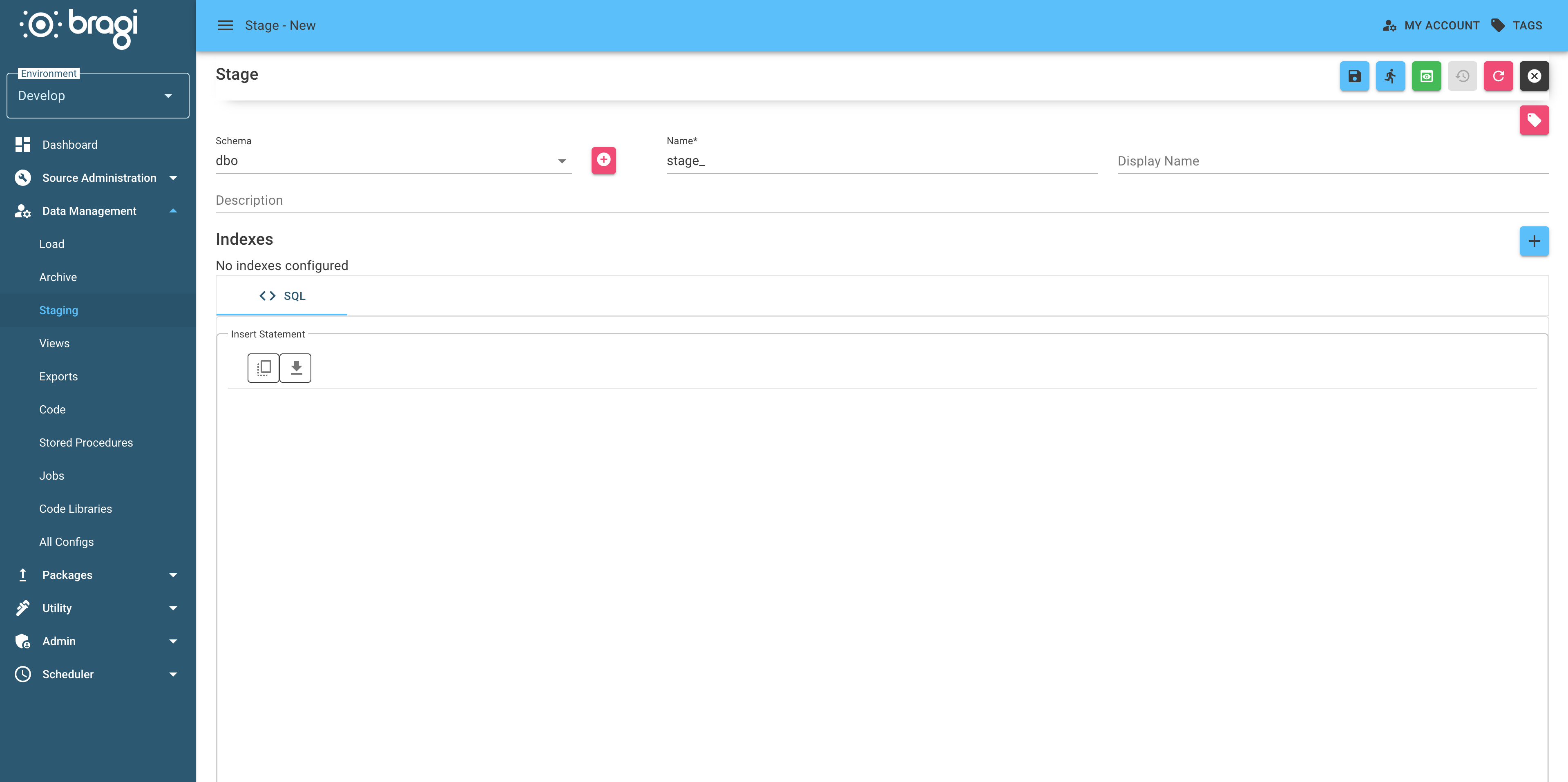
Field | Description |
|---|---|
Schema | Database schema where this Stage will live. You can create a new one using the + button. |
Name | Actual name of the Stage table in the warehouse. |
Display Name | A more friendly name for the Stage, used in Bragi. |
Description | Description of the Stage's purpose, useful for when someone else needs to edit it later. |
Indexes | You can define indexes to apply to the Stage table and whether they should regenerate on insert. Use the dropdown to configure them. |
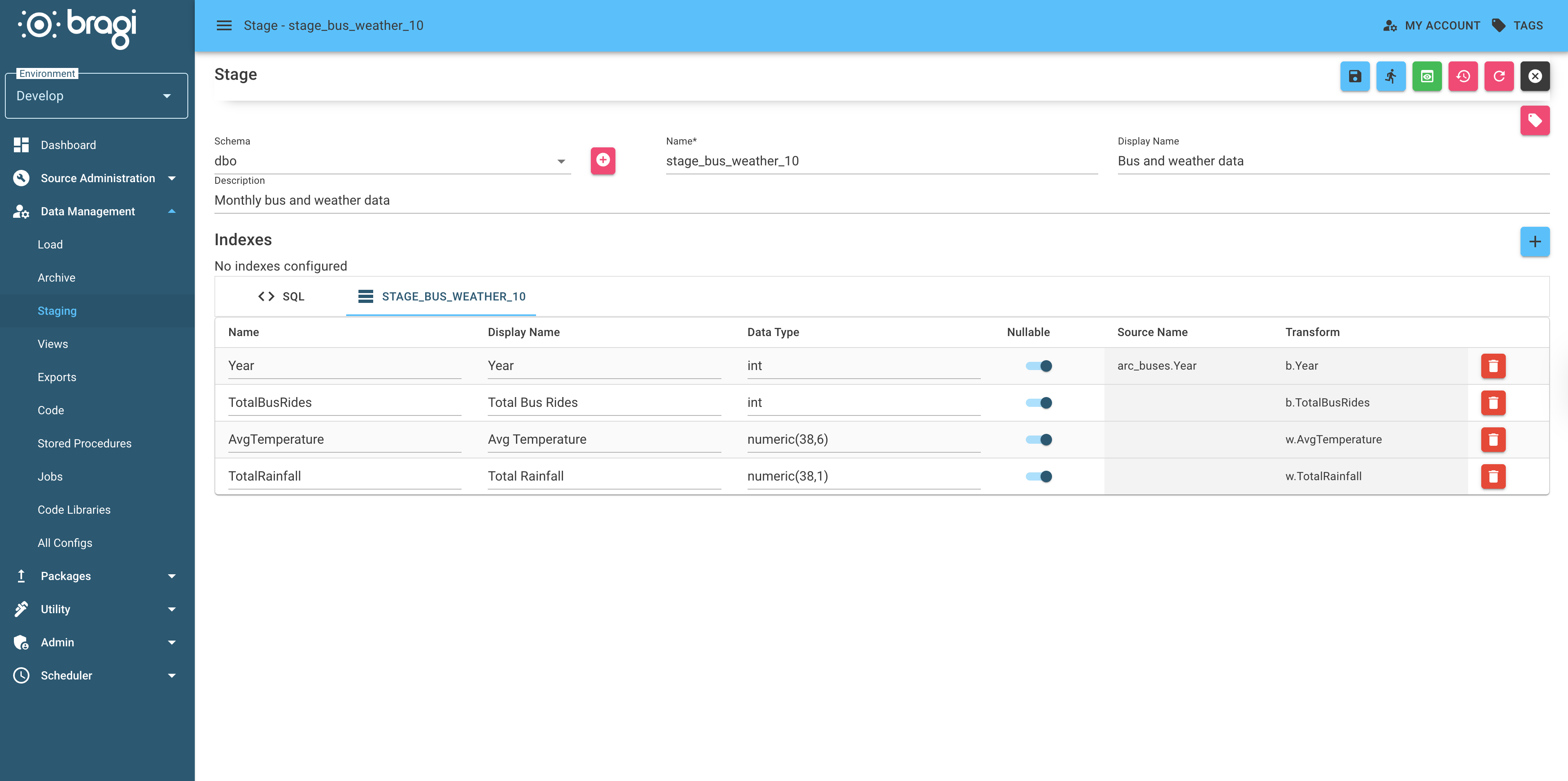
Write your SQL to shape the data directly in Bragi’s UI. Once you're happy with your query, hit Infer from SQL. This action executes the select statement. Bragi automatically infers columns and shows you information on source and transform.
You can adjust types and nullability of the columns as needed. When you save your Stage, Bragi wraps the whole query into a Stored Procedure that gets deployed with the rest of the config.
Indexes and Performance
If your Stage table requires indexes for query speed or data integrity, you can define them in Bragi using the Indexes + button.
Select the target columns to index over, and Bragi will create and maintain the index for you automatically.
Whenever you change a Stage config, its warehouse table is dropped and recreated. If indexes are needed for your query patterns, make sure they are defined in Bragi to avoid unnecessary slow queries after redeployment.
For tips on naming Stages and configs consistently, see the best practices guide.