Meta Compare
The Meta Compare area lets you review differences between environments at the metadata level and choose which configs to promote in your deployment process.
Common Deployment Scenarios
Develop to Test: Move completed development work to user acceptance testing.
Test to Production: Deploy validated changes to serve business needs.
Limitations and Precautions
Comparing Environments
When comparing environments (e.g., Develop vs. Test):
You can optionally provide a display name for the deployment
Use filtering and grouping by config type for targeted review
Bragi automatically warns you about dependency issues during the config selection process
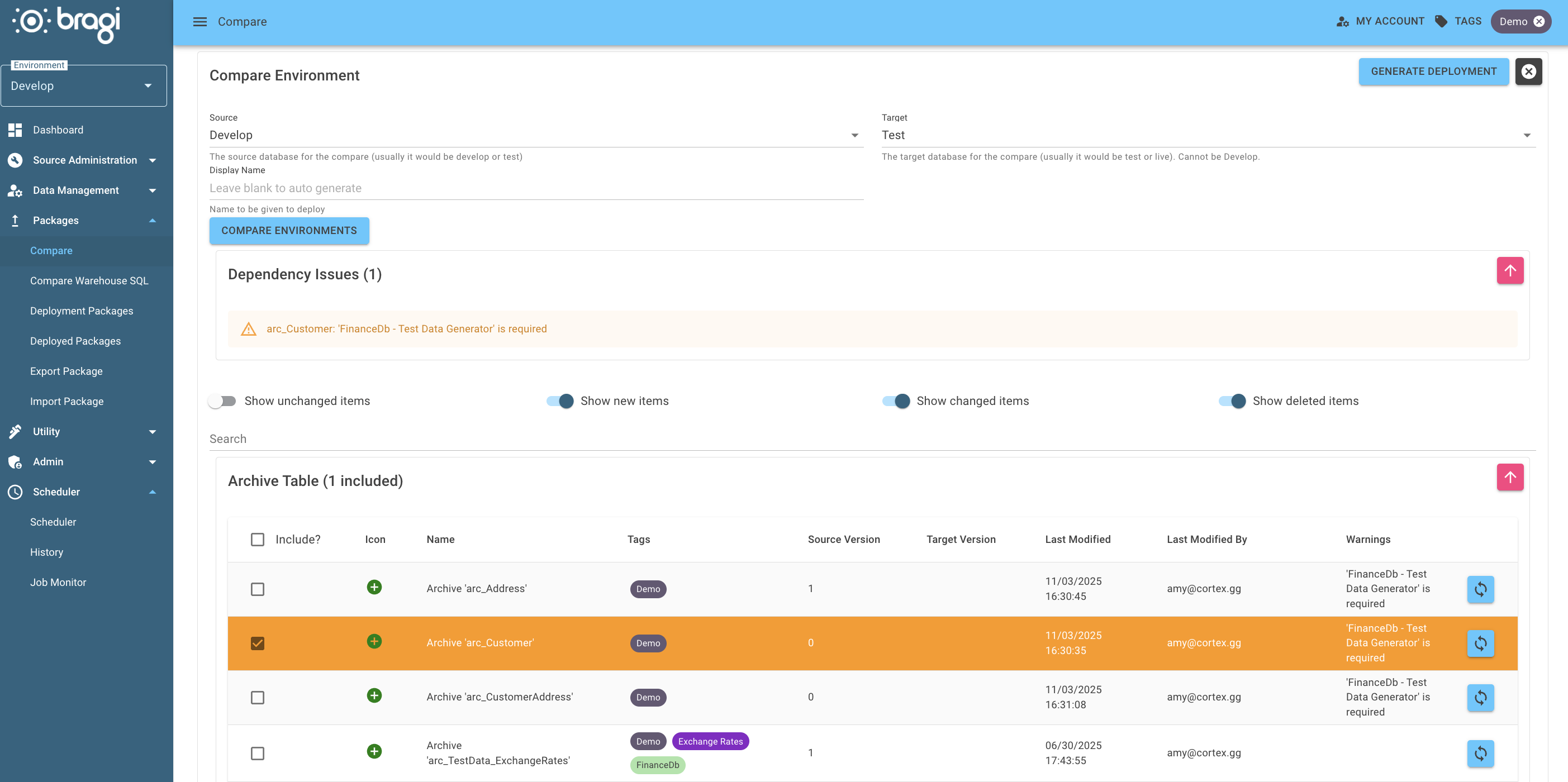
Icons and Status Indicators
Green + icon: New loads available to promote
Yellow renew icon: Indicates load upgrades (e.g., version changes)
Red delete icon: Config deleted in the source but still in the target environment
Click Generate to save your deployment configuration for later use.
This action does not immediately run the deployment.
Access saved deployment packages under Deployment Packages