SQL Compare
In addition to the metadata Compare screen, Bragi offers a SQL Compare feature for reviewing differences at the database level.
SQL Compare allows you to directly compare the underlying table structures, schemas, and other database objects between Environments.
What is Compare Warehouse SQL
The SQL Compare area helps you ensure that database changes like table structure updates, column additions or deletions, and index modifications are properly tracked and validated before deployment. This is especially important when your deployment includes changes to Archives or other objects that affect database schema.
How SQL Compare Works
Select the source and target Environments you wish to compare.
Bragi will analyse the SQL definitions for tables, views, indexes, and other schema objects in both Environments.
The screen highlights differences, including:
Added, removed, or modified tables and columns
Changes in data types and constraints
Index and key changes
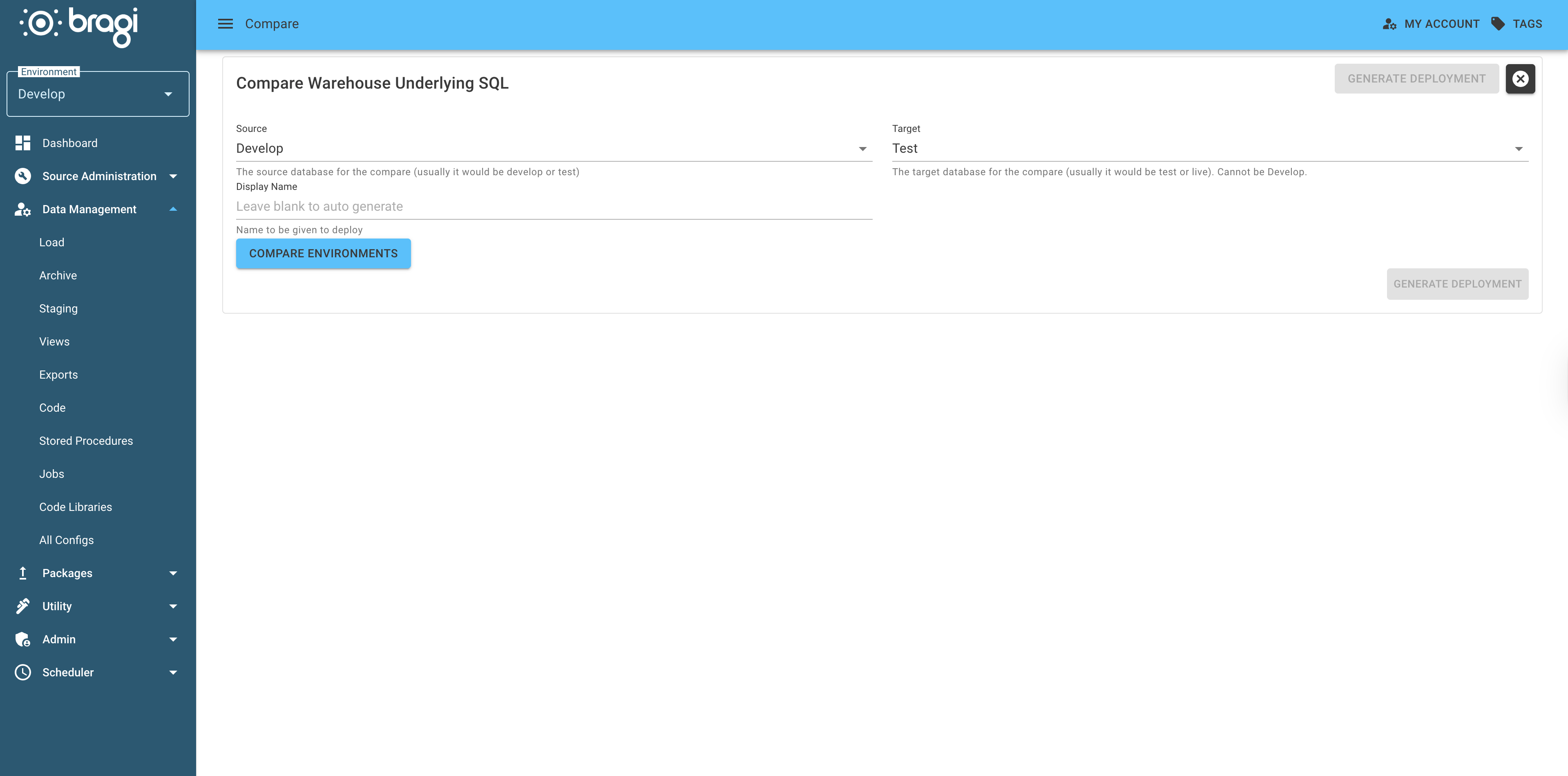
Using SQL Compare
SQL Compare is critical when your deployment involves Archives or any changes that affect database schema.
Use SQL Compare to review structural differences between Environments, including added, removed, or modified tables and columns, data type changes, and constraints.
Verify that all necessary schema updates are accounted for before deployment.