Exports
Exports are used to get data out of the warehouse.
Often, this means exporting to a file, but you can also export directly to a table.
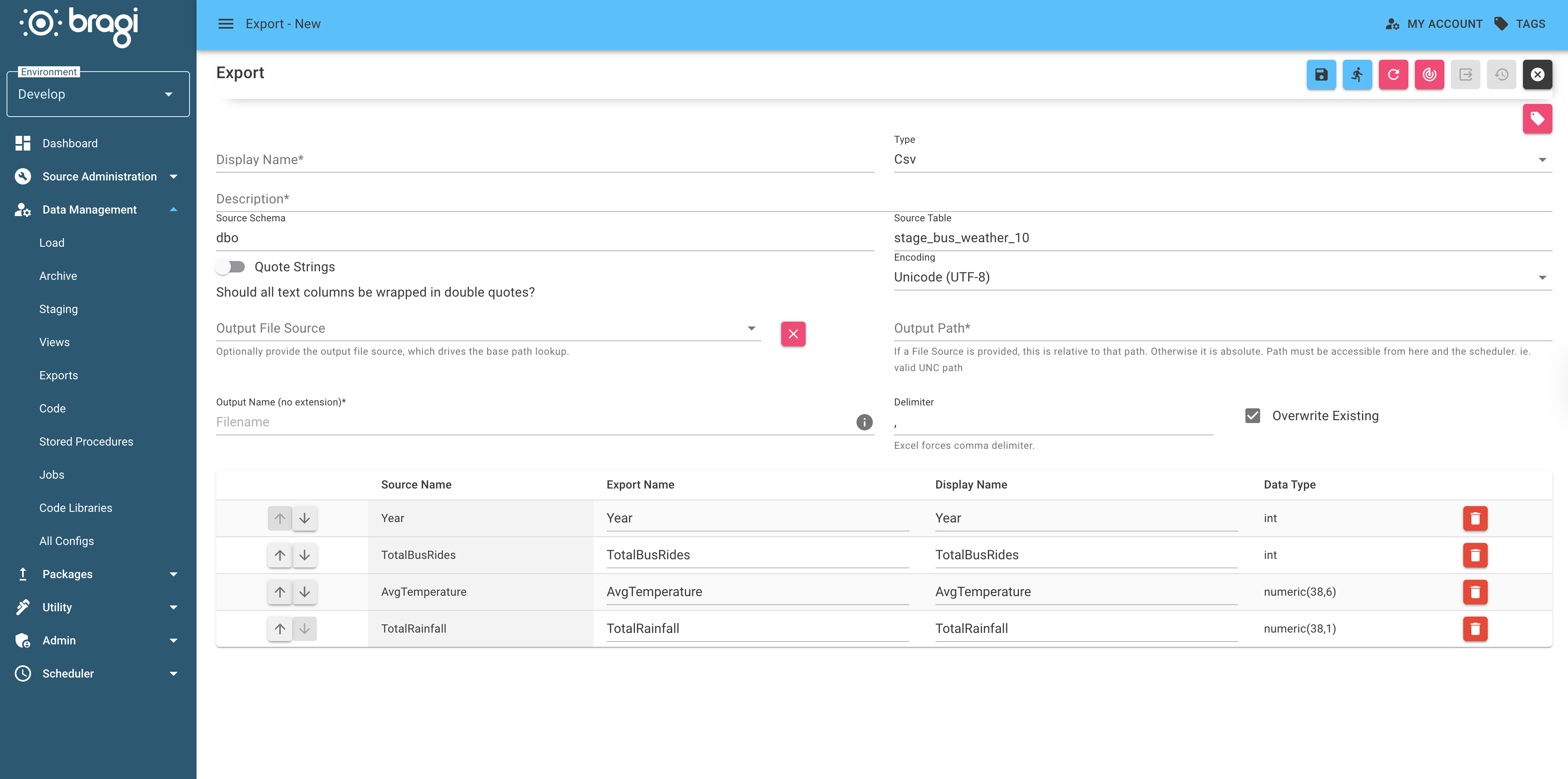
General Fields
Field | Description |
|---|---|
Display Name | A friendly name for the Export, shown in Bragi. |
Type | The export format:
|
Description | Purpose of the Export. Helpful if someone else needs to edit it later. |
Read the best practises for naming configs for guidance on consistent and clear naming formats for configs.
File Export Fields
Field | Description |
|---|---|
Quote Strings (not Excel) | Wraps all text columns in double quotes. Useful for legacy system imports. |
Encoding (not Excel) | File encoding to use (choose from a provided list). |
File Source | If File Sources are configured, choose one here as the export folder. |
Path to Folder | Export folder path. If File Source is set, this is relative to it; otherwise, it’s the full path. |
Output Name (no extension) | File name without extension. Supports |
Delimiter (not Excel) | Column delimiter ( |
Overwrite Existing | If enabled, replaces any existing file. If disabled, appends a number to find a free name (e.g. |
Header Record (not Excel) | Adds a header row. Supports |
Footer Record (not Excel) | Same as Header Record, but added to the bottom of the file. |
Order By | Optional. Raw SQL appended to the source query as |
SQL Export Fields
Changing Type to SQL enables the Change Output Table button, letting you select or create a table on a Destination Connection String SQL Server.
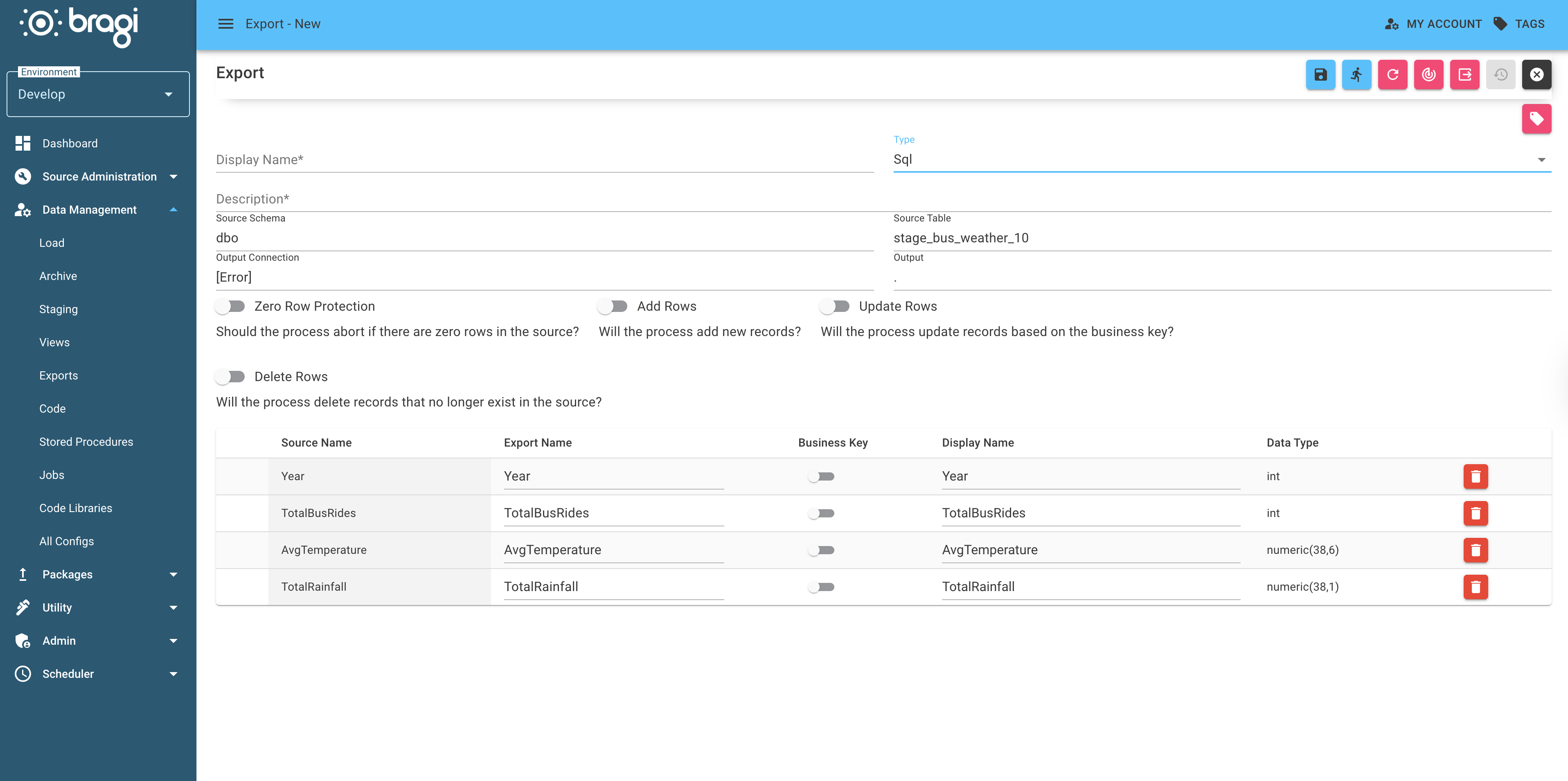
Field | Description |
|---|---|
Zero Row Protection | Aborts the export if the source contains zero rows. |
Add Rows | Allows new records to be added to the destination. |
Update Rows | Updates existing records based on the business key. |
Delete Rows | Deletes destination records that no longer exist in the source. |