Code Configs
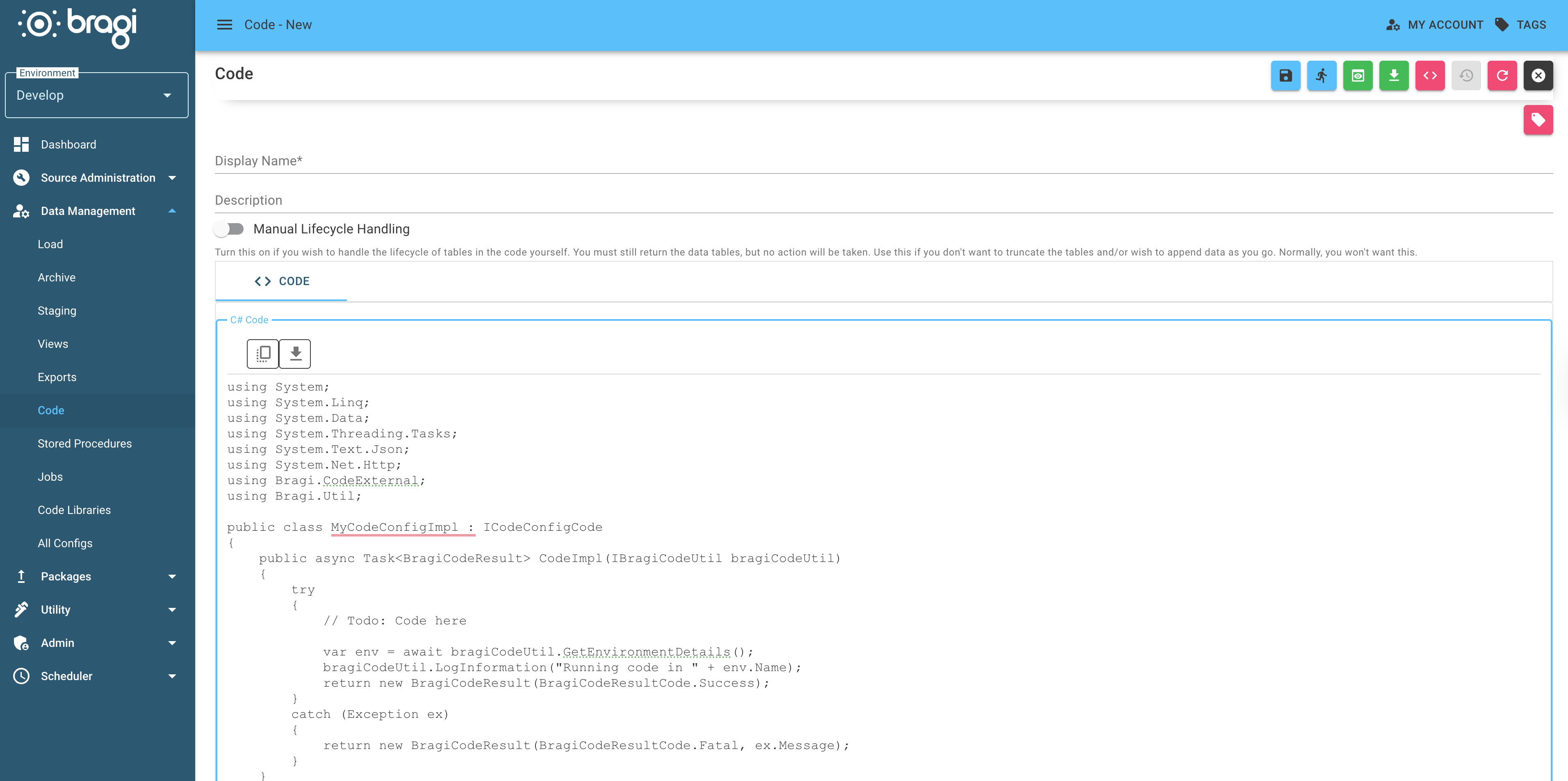
Code Configs in Bragi let you write custom C# in the Bragi UI. By implementing the IBragiCode interface, you can run your own logic in Bragi pipelines.
When to Use
Custom data transformation after ingestion.
Pulling data from external or non-standard APIs.
Handling complex conditional logic or business rules.
Anything not suited to SQL.
Field | Description |
|---|---|
Display Name | Human-friendly name for the Code Config, shown in Bragi’s UI. |
Description | Concise summary of what your code does. Useful for teammates and future maintenance. |
Manual Lifecycle Handling | If enabled, you manage data table lifecycles; Bragi will not truncate/overwrite tables automatically. Leave disabled unless you need this control. |
Read the best practises for naming configs for guidance on consistent and clear naming formats for configs.
Creating a Code Config
Bragi provides this template for new Code Configs:
Code Execution & Interface
Your class must implement
IBragiCode.The entry point is:
Task<BragiCodeResult> CodeImpl(IBragiCodeUtil bragiCodeUtil, CancellationToken cancellationToken)Bragi injects
bragiCodeUtilwith helpers (logging, variable access, data operations, etc.) and aCancellationTokenthat signals when a job abort has been requested.Your method must return a
BragiCodeResultto signal completion.Always catch exceptions to prevent pipeline failures.
See Also
Variables: How to store and use Bragi-wide values.
BragiCodeUtil Reference: Complete list of utility methods.
BragiCodeExtensions: Helpers for building and manipulating DataTable objects in code.