Users
The Users area allows you to manage who has access to your Bragi environment.
Your control depends on the identity provider you have configured. See Identity Provider for details.
Identity (Built‑in)
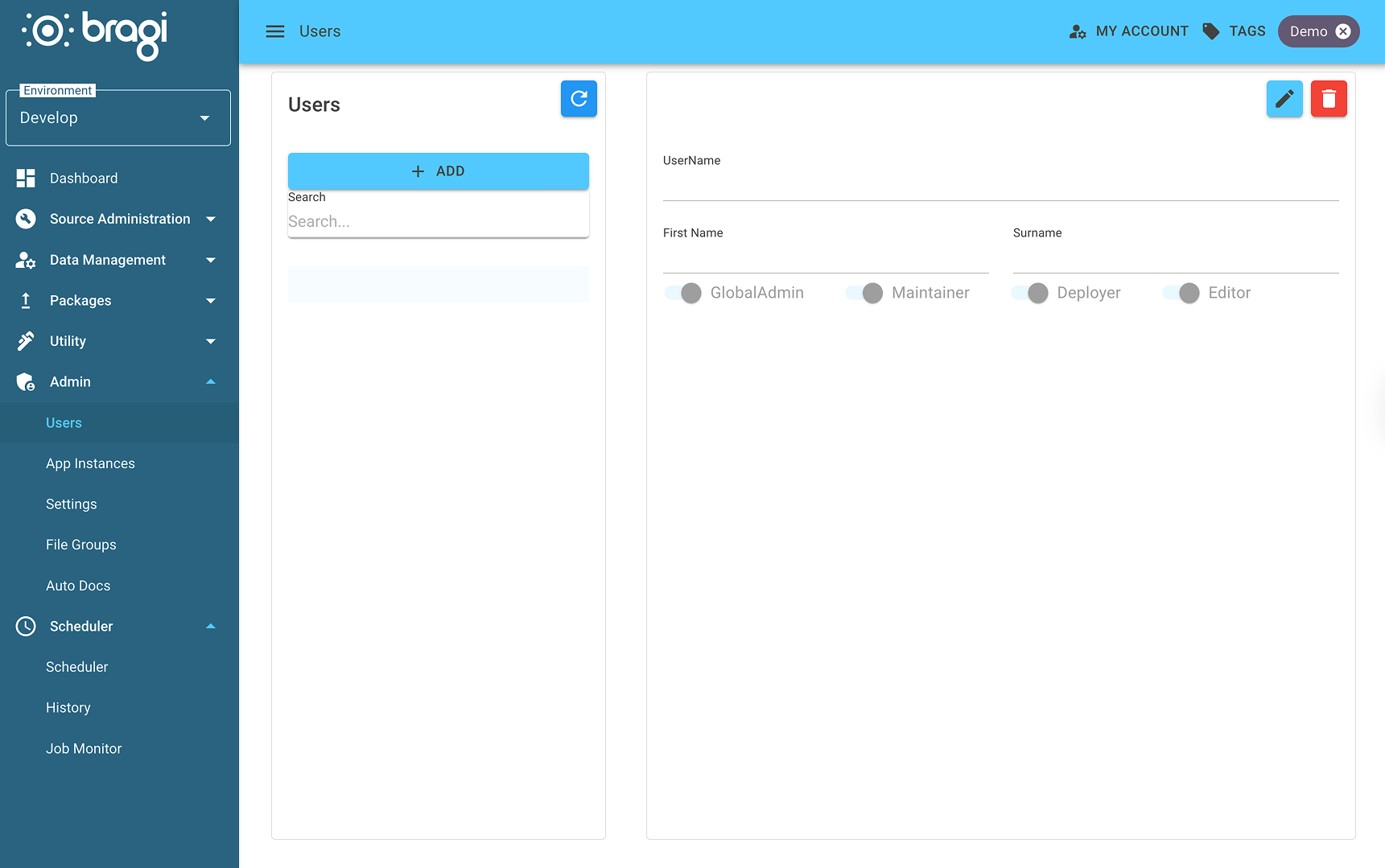
If you are using Bragi’s built‑in Identity provider:
Users are fully managed within Bragi.
Bragi stores usernames, passwords, and assigned permissions.
Permissions can be scoped on both a per‑user and role basis, enabling fine‑grained access control.
This mode is often suited to smaller deployments or isolated environments without enterprise identity systems.
External Identity Providers (Active Directory and Entra ID)
If you are using an externally managed identity provider like Entra (Azure Active Directory):
Users and groups are created and maintained externally.
Bragi imports user and group information based on your configured synchronisation rules.
Permissions are controlled by mapping groups to Bragi App Roles.
This approach centralises user lifecycle management and aligns Bragi permissions with enterprise identity policies.
App Roles
App Roles provide the bridge between external identity groups and Bragi’s permission sets.
They allow you to map Active Directory or Entra ID groups to specific permissions within Bragi.
Modifying App Roles
To configure an App Role:
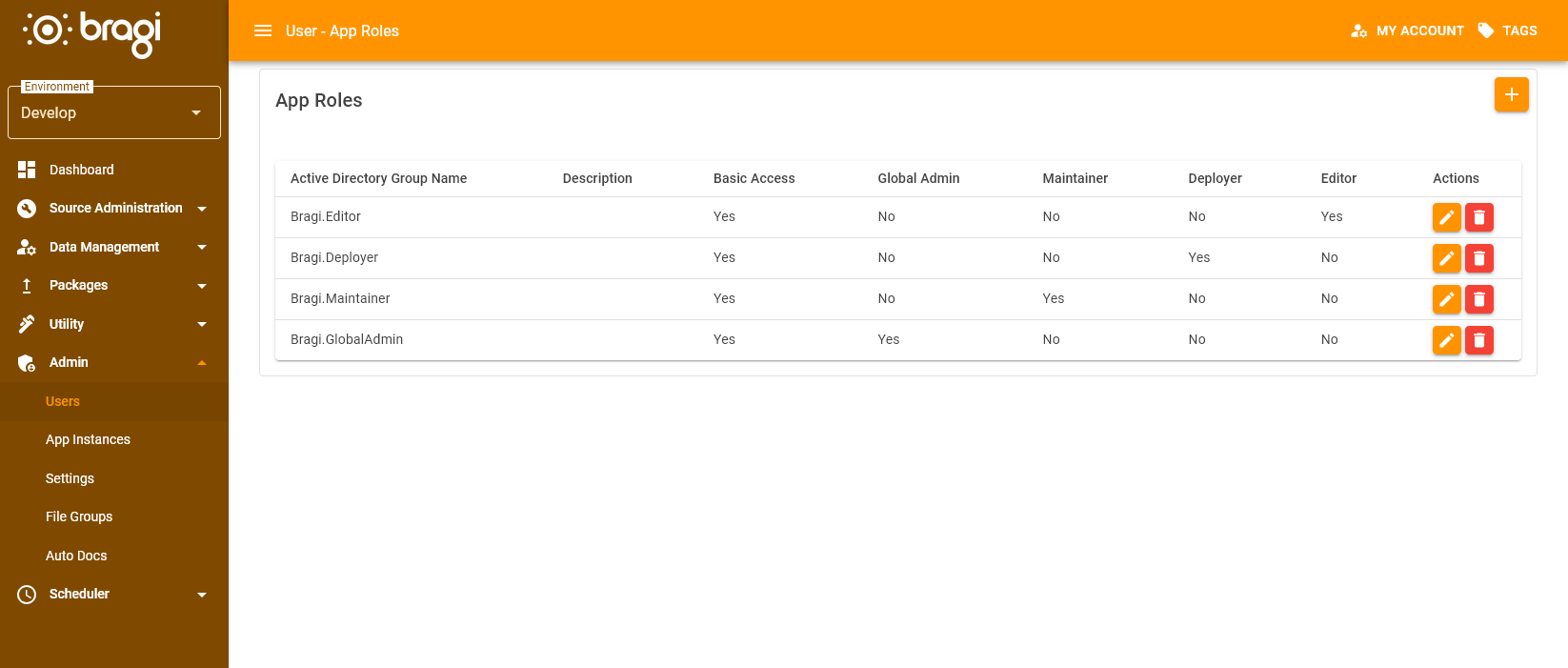
Navigate to Users.
Click the + button to create a new App Role.
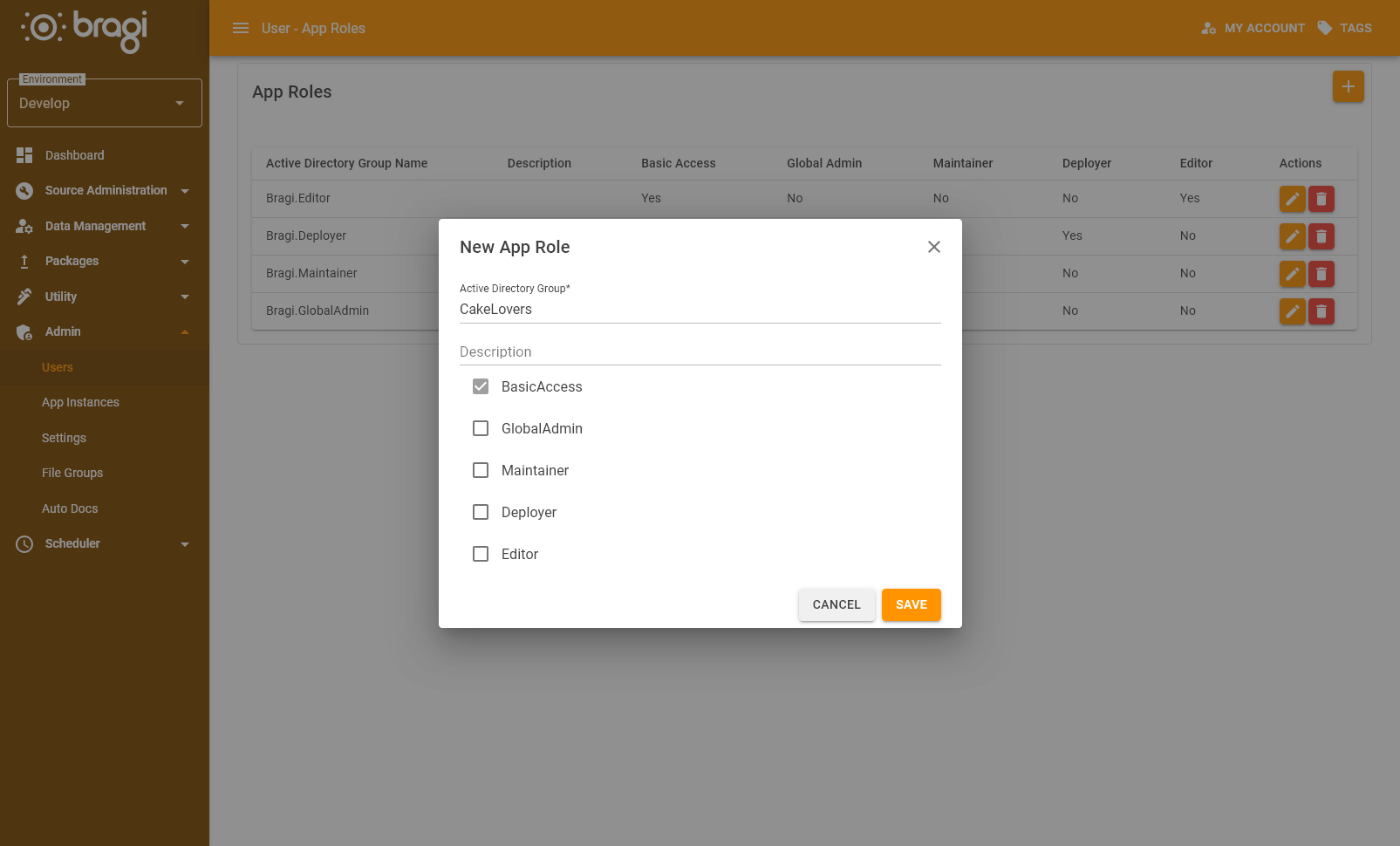
App Role Fields
Field | Description |
|---|---|
Active Directory Group | The external group (AD/Entra) to be mapped. |
Description | Free‑text field describing the purpose of the role or mapping. |
Basic Access (checkbox) | Grants standard login and read‑only capabilities. Required for users to access Bragi at all. |
Global Admin (checkbox) | Grants unrestricted administrative permissions across Bragi. |
Maintainer (checkbox) | Grants operational access (e.g. warehouses, services, scheduled jobs). |
Deployer (checkbox) | Allows build and deployment actions to be executed. |
Editor (checkbox) | Allows editing of application configurations and related settings. |
How App Roles Work
App Roles are additive:
If a user belongs to any group with a given permission, that permission is granted.
Lack of permissions in other groups does not revoke existing rights.
This simplifies configuration and avoids conflicts between group mappings.
Example: Role Assignments
Example groups: Finance, Audit, IT, and Bragi_Viewers
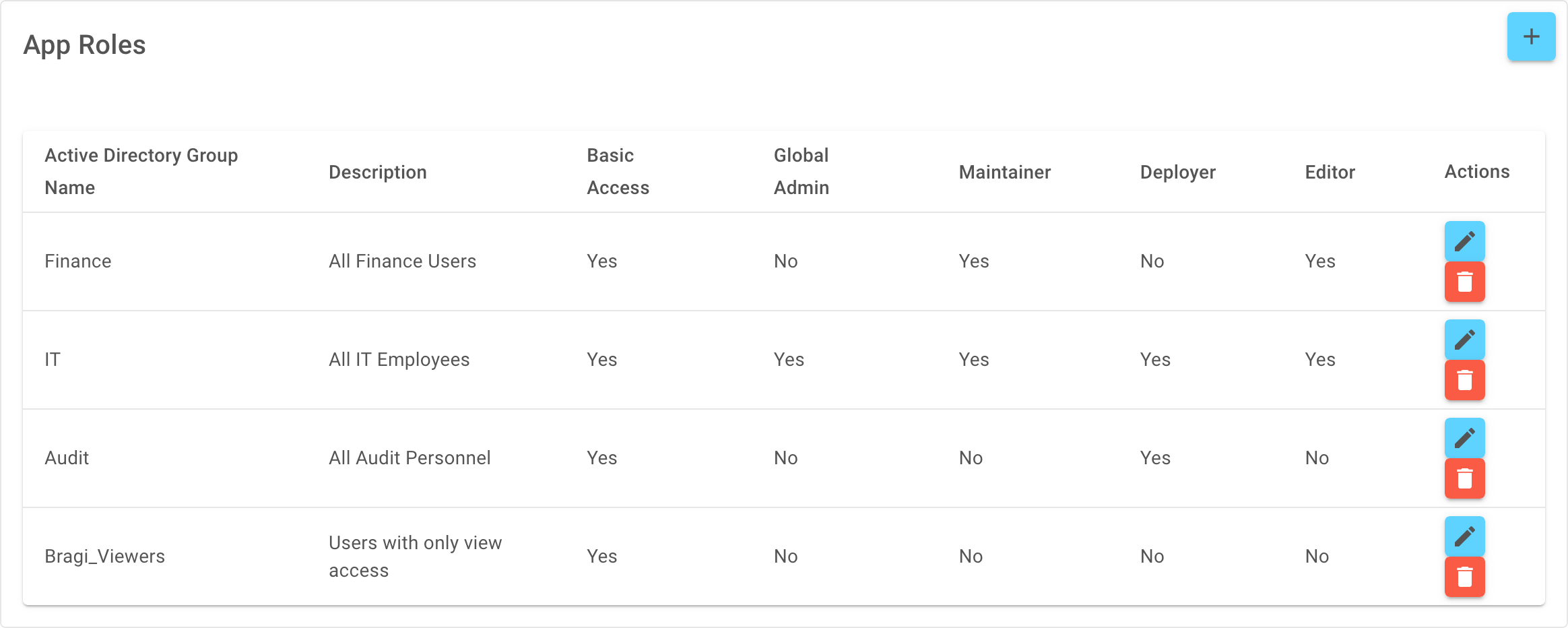
Finance → Basic Access + Maintainer + Editor (view and update warehouse configs).
IT → Global Admin (full system access).
Audit → Deployer (deployment rights).
Bragi_Viewers → Basic Access only (login + view configs, but cannot edit or deploy).
Resulting behaviour:
Users in both Finance and Audit inherit both sets of permissions:
From Finance: Basic Access, Maintainer, Editor
From Audit: Deployer
Effective permissions always equal the union of all group mappings.