Settings
The Settings page lets you manage behind-the-scenes configuration for Bragi. Some settings apply globally, while others can be tailored per Environment.
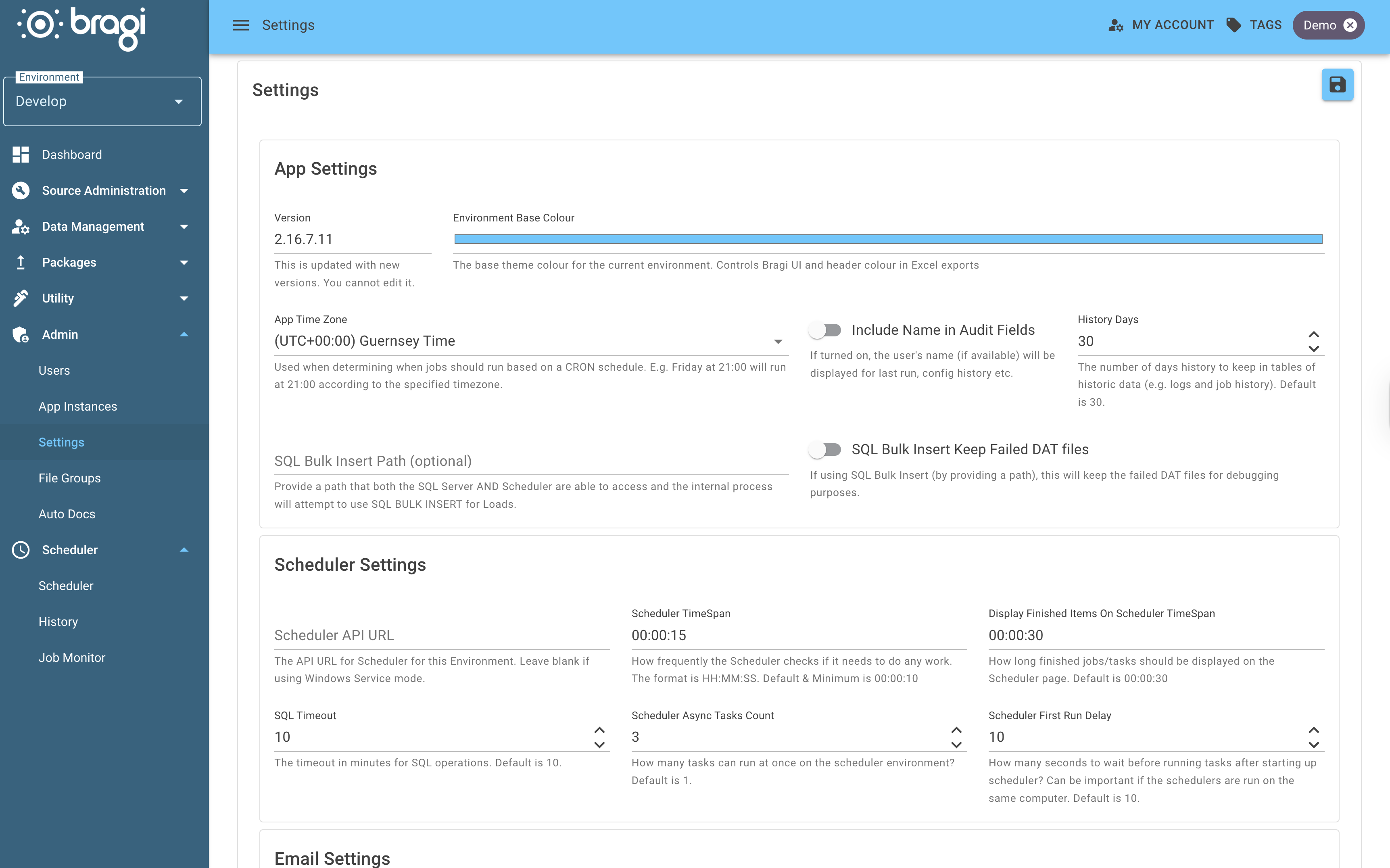
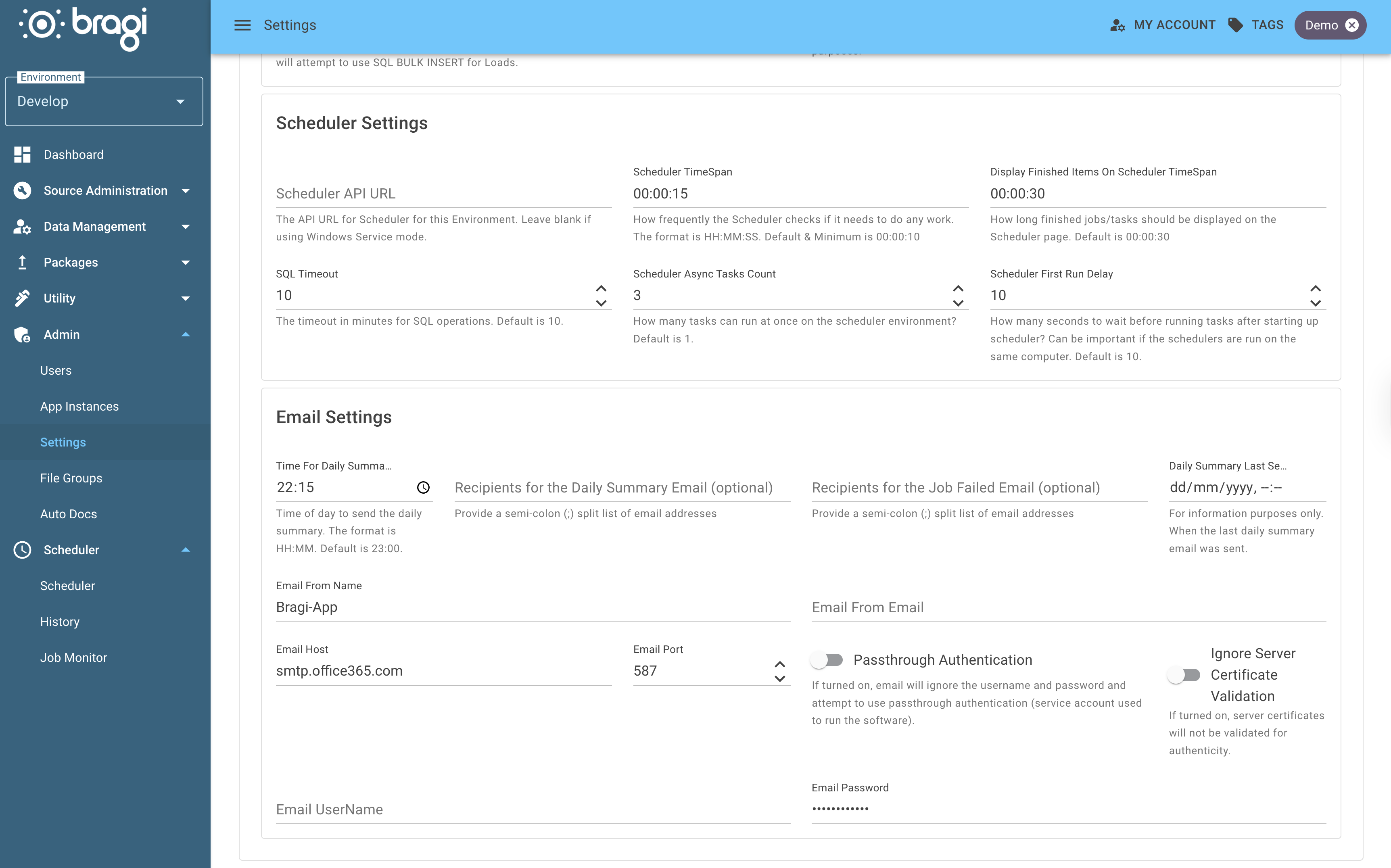
Field | Description |
|---|---|
Version | The current version of Bragi. This is read-only and cannot be modified. |
Scheduler API URL (Environment) | The API URL used by the Scheduler for this Environment. |
Run Now Notifications (Environment) | Whether a Run Now started from the Bragi UI tells whoever started it once the run finishes. Off by default: turn it on for an Environment whose Scheduler can reach Bragi. Delivery is attempted as the run finishes, so an Environment whose Scheduler is blocked by a firewall leaves it off rather than spending that attempt on every Run Now. See Run Notifications. |
Licence | The licence key supplied by Cortex. Paste it in and save to turn on the features your licence covers. Leave it blank if you do not have one - Bragi runs unlicensed and every licensed feature stays off. Saving reports a key it cannot read, so you know straight away if one has been pasted short. See Licensing. |
Run Notification URL Override (Environment) | Normally left blank. Bragi posts run notifications back to its own address without anything being configured. Set this only when the Scheduler for this Environment cannot reach Bragi on the address users browse it with, for example |
Scheduler TimeSpan (Environment) | Specifies how often the Scheduler "ticks" to check for work. Format is |
Run Now Response Time (Environment) | How quickly the Scheduler reacts to a Run Now rather than waiting out the full Scheduler TimeSpan. Format is |
Display Finished Items On Scheduler TimeSpan (Environment) | Duration that finished items remain visible on the Scheduler page. Format is |
History Days | Number of days to retain historic WebApp logs, Scheduler logs, and Scheduler history. Defaults to 30 days. These logs are cleared periodically by the WebApp. |
Job Callback Retention Days | How long to keep one shot Job Callbacks after their run has finished. One is registered per API triggered run, so they accumulate and are removed rather than kept. Defaults to 7 days. Set to |
SQL Bulk Insert Path (Environment) | If enabled, Bragi uses BULK INSERT for Loads instead of in-memory writes to SQL Server. This significantly boosts performance for large Loads. Both Scheduler and SQL Server must have access to this folder. |
SQL Bulk Insert Keep Failed DAT files (Environment) | When SQL Bulk Insert Path is enabled, this option keeps the |
Daily Summary Emails (Environment) | Controls daily summary email settings for this Environment: |
Time For Daily Summary Email (Environment) | The local time to send the Daily Summary email, format |
Recipients for the Daily Summary Email (Environment) | Semicolon-separated list of email addresses to receive the daily summary. |
Daily Summary Last Sent (Environment) | Timestamp recording when the last Daily Summary email was sent. This field is read-only. |
Recipients for the Job Failed Email (Environment) | Semicolon-separated list of email addresses that should receive notifications when a Job fails. |
Environment Base Colour | Custom colour to visually distinguish this Bragi Environment in the UI. |
SQL Timeout (Environment) | Timeout period in minutes for SQL operations. Default is 10 minutes. |
Scheduler Async Tasks Count (Environment) | Number of Jobs the Scheduler can run concurrently. Setting depends on whether you want asynchronous or synchronous operation and the available server resources. Default is 1. |
Job Task Parallelism (Environment) | How many of a Job's tasks run at once, where their dependencies allow. Jobs with many small tasks finish faster with a higher value, at the cost of more concurrent load on the warehouse. Default is 5. |
Scheduler First Run Delay (Environment) | Number of seconds the Scheduler waits before running tasks after starting up the scheduler. Default is 10. |
Emails | Email-related configuration options: |
-Passthrough Authentication | If the Service Account running Bragi has access to the Email Server without needing username/password credentials, enabling this bypasses the username/password prompts. |
-Ignore Server Certificate Validation | Use this if your email server does not have properly configured certificates, to bypass certificate validation errors when sending emails. |
This page is where you fine-tune Bragi’s core behaviour to match your operational and infrastructure needs.