Scheduler
The Scheduler screen is divided into two main sections to help you manage and monitor your Jobs effectively.
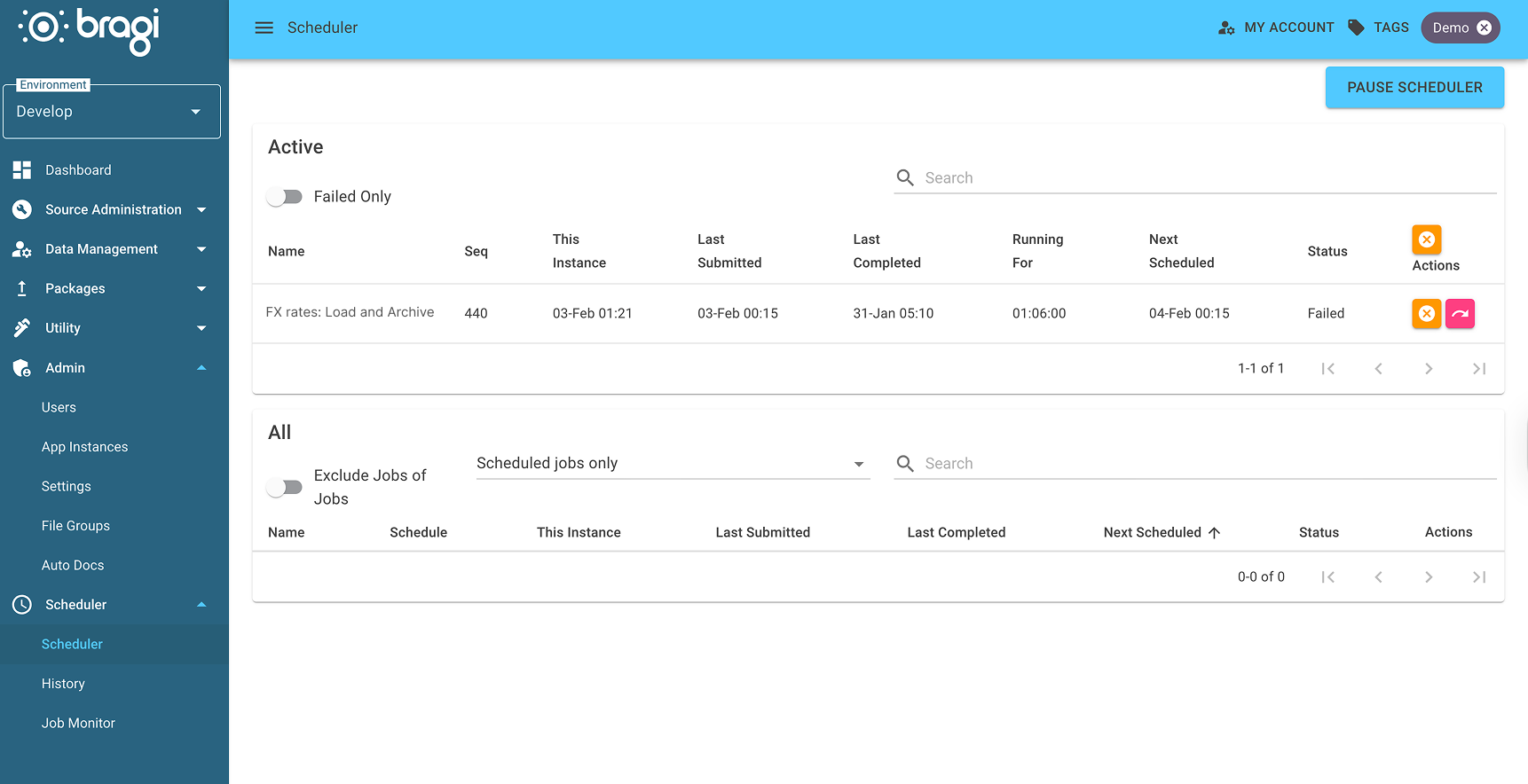
The top section shows Active Jobs that the Scheduler is currently running or about to run.
The bottom section, labeled All, displays a complete list of all your Jobs.
Clicking on a Job in either section expands a detailed table below, listing all the Configs included within that Job for easy inspection and management.
Holding and Running Individual Tasks
Each row in a Job's task table has two controls:
The status button switches a task between
QueueandHold. A task onHoldis skipped when the Job runs, and the tasks that depend on it run without waiting for it. Putting a task on hold asks for a reason, which is shown on the button's tooltip along with the date it was held.The run button runs that one task straight away. It is queued as a standalone task in the same way the Run Now button on the Config's own page queues it, so it ignores the Job's dependencies and appears in the Active list under Adhoc - Run Now rather than as a run of the Job. Running a nested Job task this way queues that whole Job.
Which Environments the Scheduler Runs
The scheduler runs a worker for each environment listed in its BragiConfig:EnvironmentCodes configuration. Each entry must match the environment code of an environment. If an environment's code is not listed, its Jobs do not run and its Scheduler page stays empty.