Job Monitor
Job Monitors provide focused tracking of the status for individual Jobs within Bragi. They can be configured to send email notifications instantly whenever the monitored Job runs.
Notifications include important details like:
Job name
Execution status
Number of rows affected by each task within that Job
Unlike the broader Daily Summary, which batches information about all Jobs into once-per-day reports on the Dashboard, a Job Monitor targets a specific Job and delivers notifications immediately after each run. This lets you keep track of crucial jobs so you can respond quickly to any issues or successes.
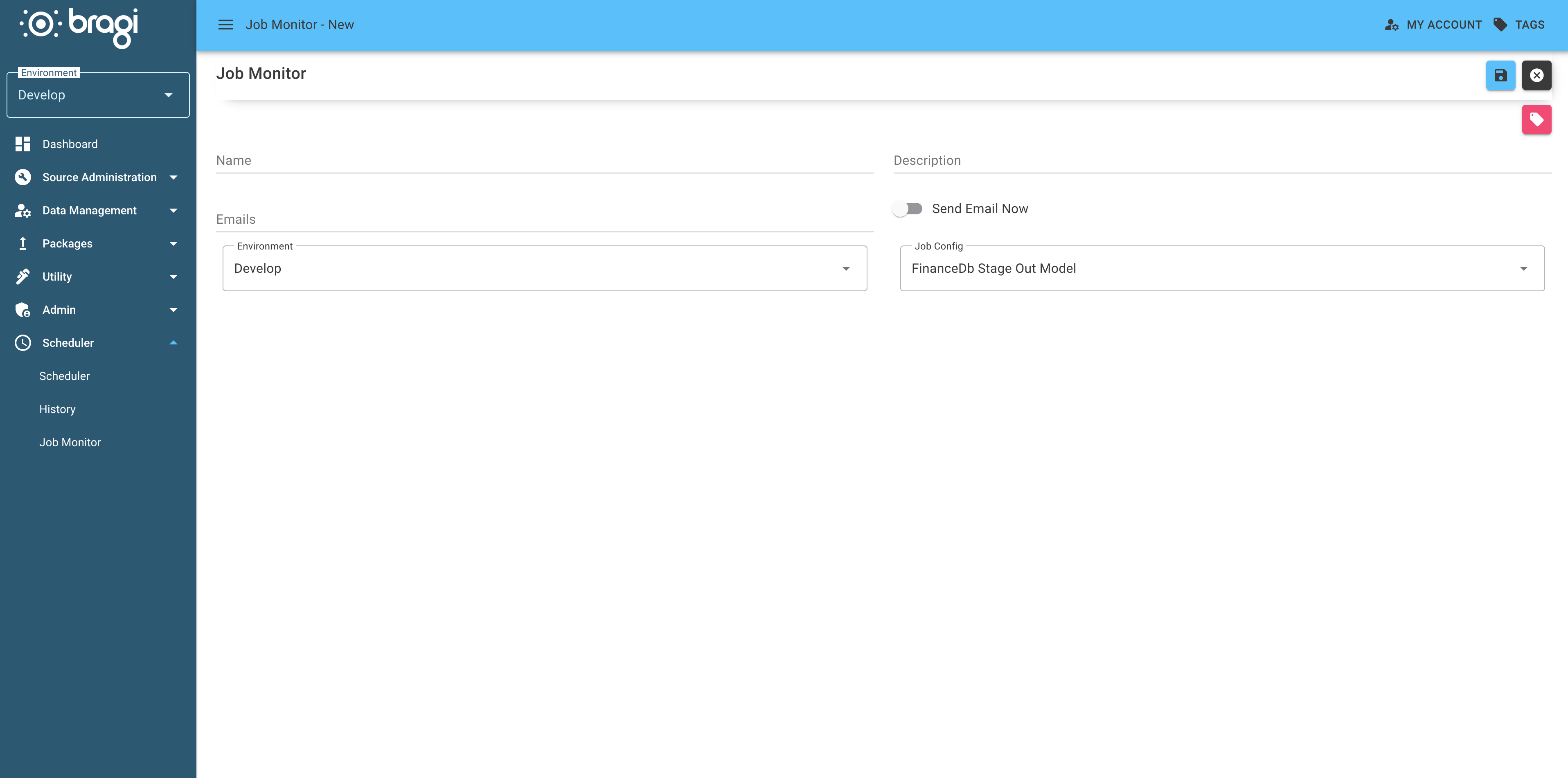
Field | Description |
|---|---|
Name | The name of the Job Monitor. |
Description | A summary explaining the purpose of the Job Monitor, useful for future reference and edits. |
Emails | A semicolon-separated list of email addresses to receive notifications when the monitored Job runs. |
Send Email Now | Set to |
Environment | The Environment this Job Monitor is associated with. Different teams may monitor different environments. |
Job Config | The specific Job this monitor watches. Notifications are only sent when this Job runs. |