How to: Trace the Source of Your Data in Bragi
You’re deep in a complex data warehouse where tables and models have been added and updated over years. Somewhere in that maze is the origin of a specific number, but tracking it down manually is a headache. When an auditor asks for the data source, you want answers fast. Bragi’s built-in data lineage tools make finding the source straight-forward.
Here’s how to find the origin of any data point easily.
Step-by-Step Guide
Identify the Config and Field
Start by locating the config (table or model) and the specific field you’re interested in. For example, if you want to trace TotalBonds in the staging table stage_bondStats_30_ParishAndMonth, find this field inside Bragi.Use the Trace Button
In the staging overview, look for the Trace column next to your field. Click the red-circled button to start tracing.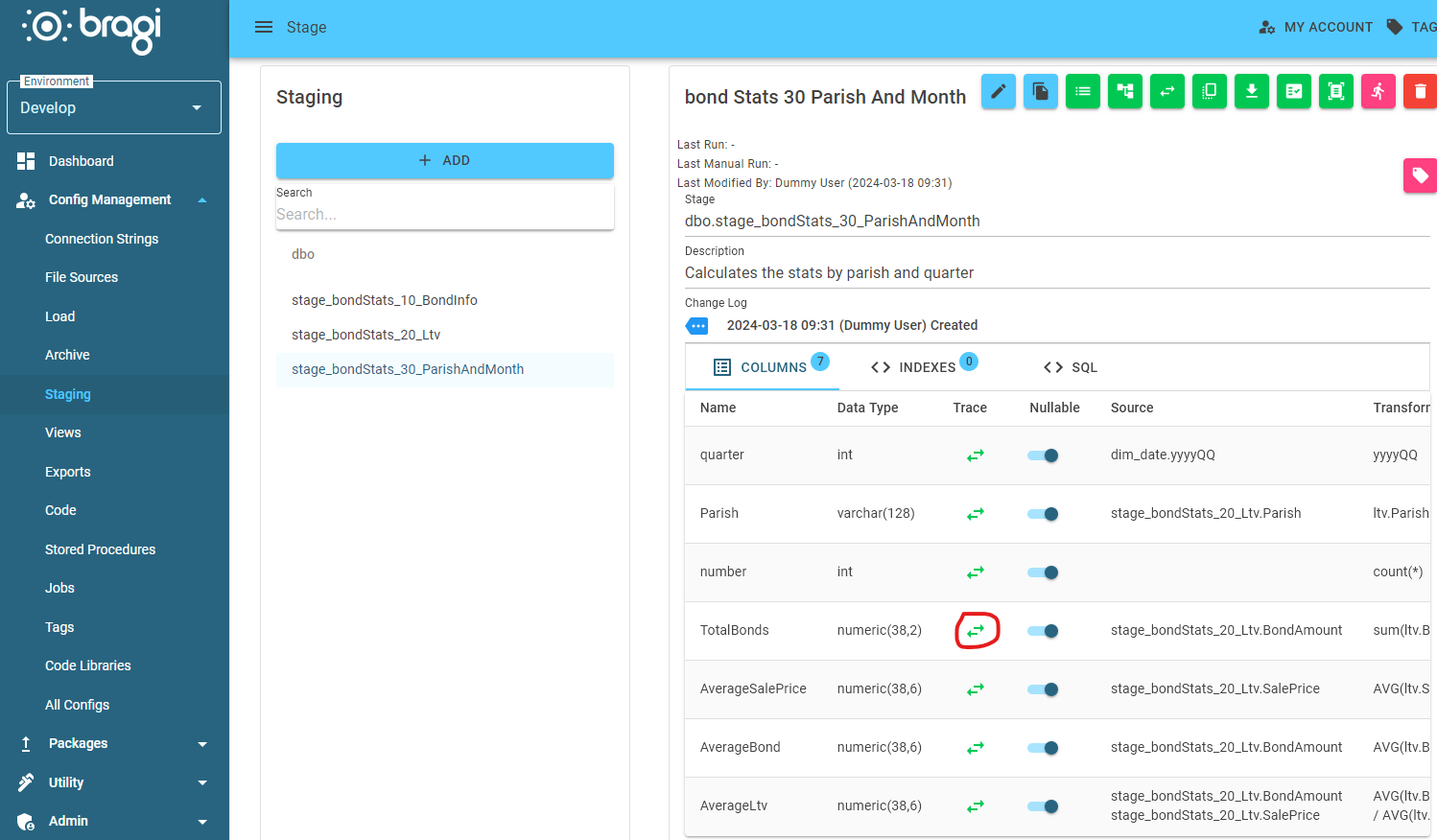
View the Data Lineage Modal
A modal window will appear, displaying the full history of where and how that data was generated.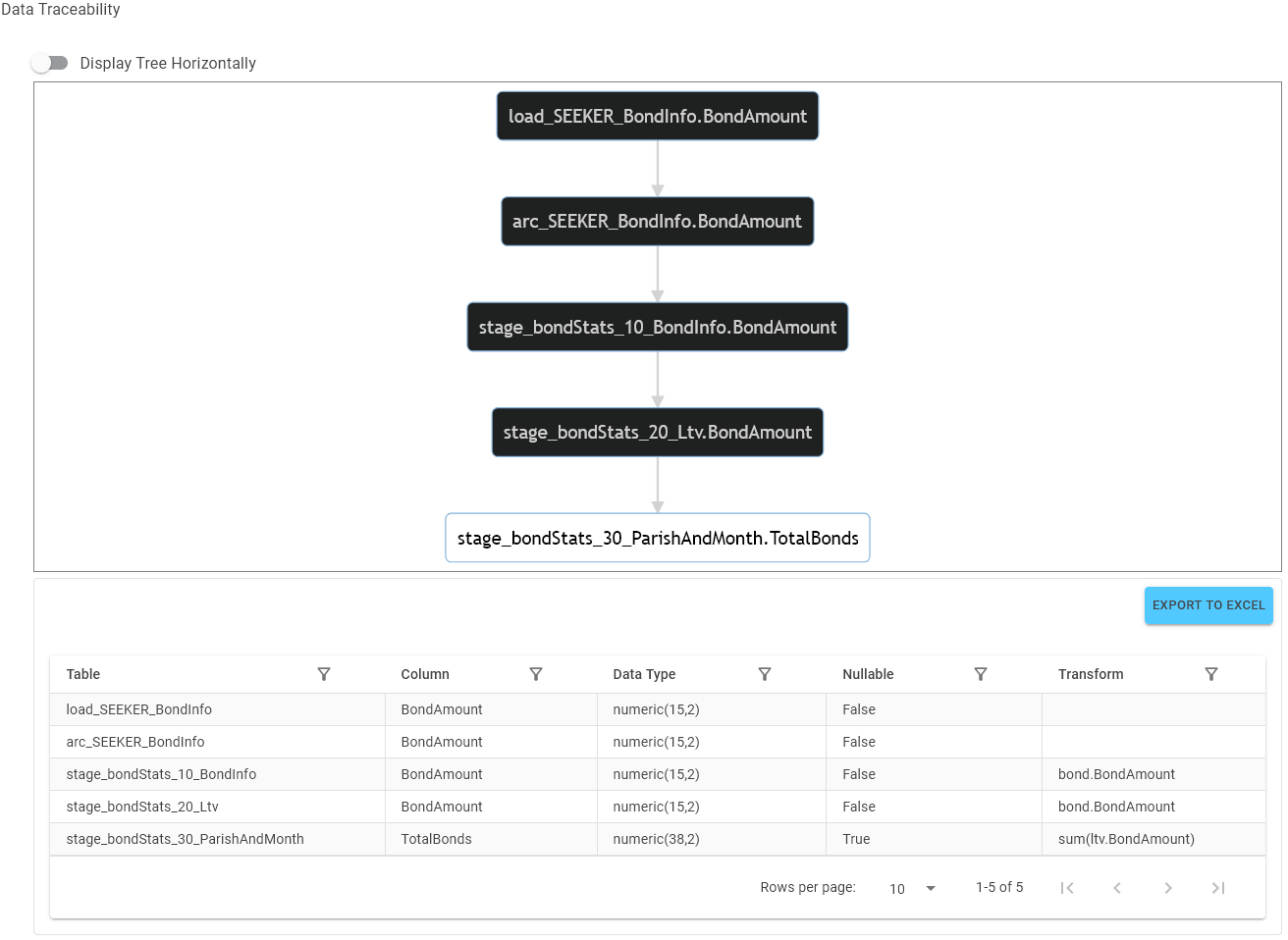
Here you’ll see a flowchart and table detailing all upstream sources, with the original data coming from a load named load_SEEKER_BondInfo and the corresponding field BondAmount.