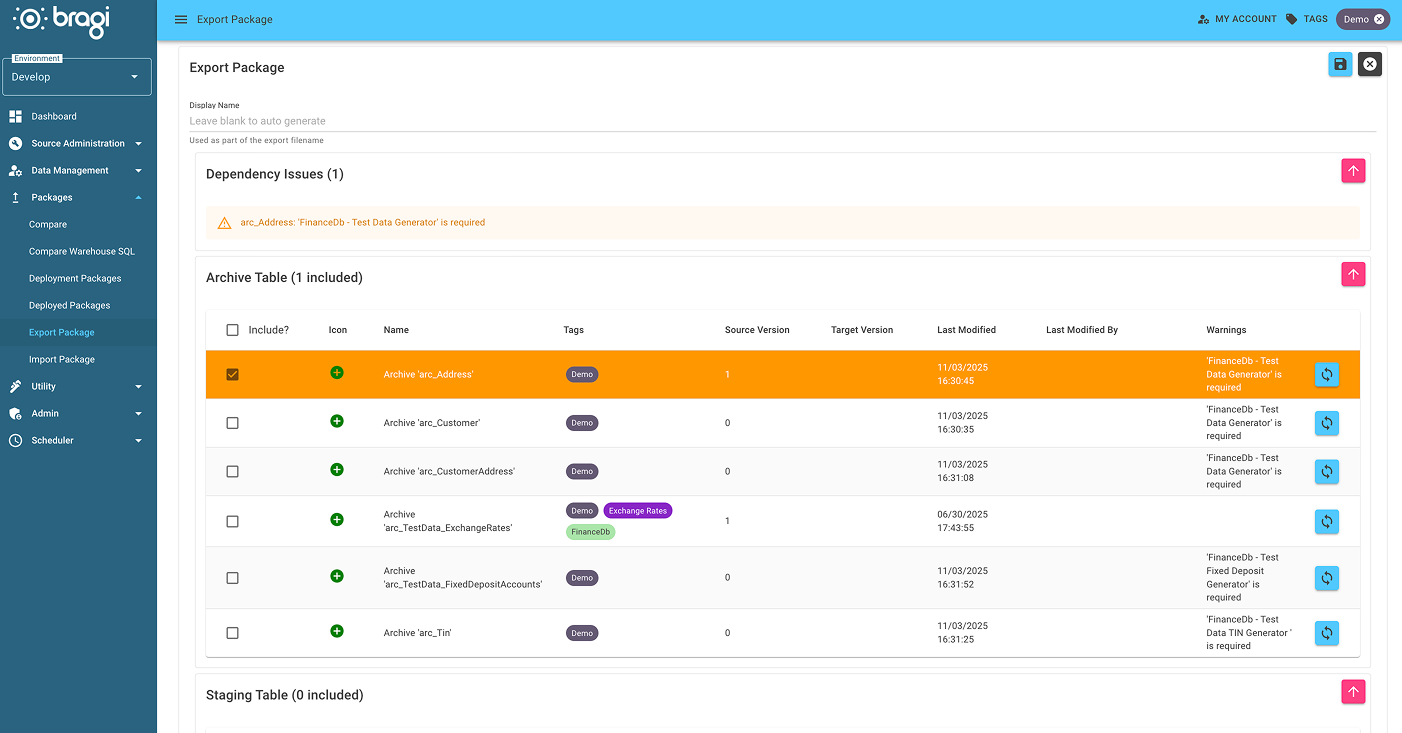
Export Package
Packages (with the .bra file extension) are used to export Bragi objects like Loads, Archives, Stages, and more between different Bragi instances. These instances could be within your organisation or external.
What is Package Export?
If your business operates multiple Bragi instances and requires a common model, like bank holidays, across them, you can build the model once and export it as a package.
This package can then be imported into other instances that need it. When you update the model later, new packages can be deployed to synchronise all instances.
Many industries have common models. For example, financial businesses often require FATCA/CRS reporting models. Bragi lets you download ready-to-use templates.
How to Export a Package
In Bragi, open the Deployments menu and select Export Package.
You will see a list of all your Bragi objects currently in development.
Select the checkboxes for the objects you want to include in the export.
The system provides helpers and warnings to guide you on related dependencies, for example, if an Archive relies on a Load, you will be notified.
When ready, click the Export button (top-right) to download the
.brapackage file.