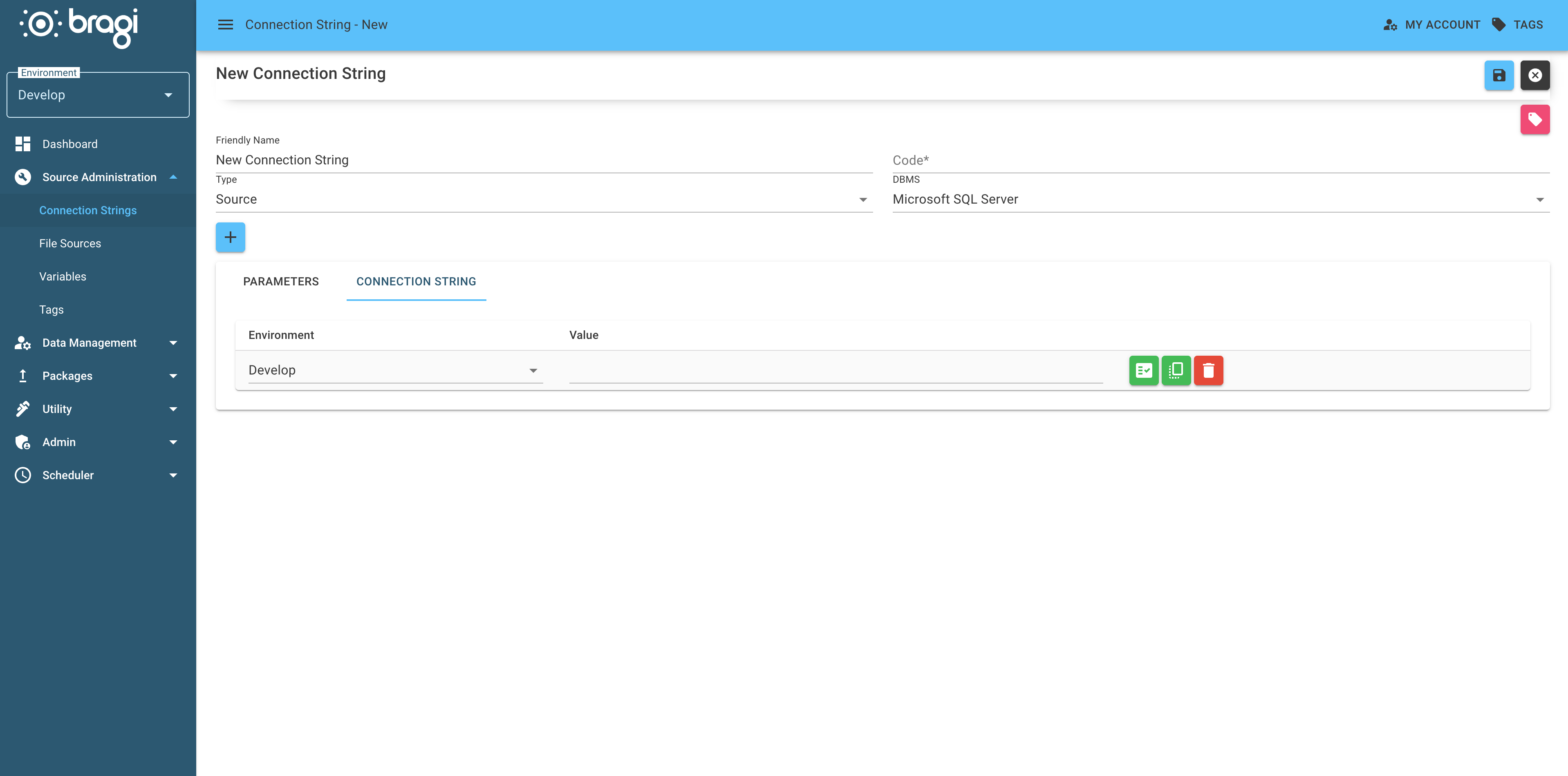
1. Set up a Warehouse Connection String
This step connects Bragi to your Data Warehouse (DWH) database.
It is the central place where your data lives once it’s ready for analysis.
This connection is only for your DWH. It’s different from connections to your source systems, which are covered separately.
Bragi currently only supports Microsoft SQL Server for the DWH database.
If you use PostgreSQL, it can only be connected as a source system, not the warehouse.
Setting this up means Bragi knows exactly how to find your warehouse for each environment, whether that’s development, testing, or production.
1. Open the Connection Strings Section
Head to the Connection Strings area in the Bragi UI, and click Add to create a new connection.
2. Fill in the Connection Details (Parameters Tab)
Here’s what you’ll need to enter:
Field | Description |
|---|---|
Friendly Name | Give your connection a clear, human-friendly name. |
Code | This is a short code you can use in configs (e.g., |
Type | Pick what kind of connection this is: |
DBMS | Choose your database platform here: |
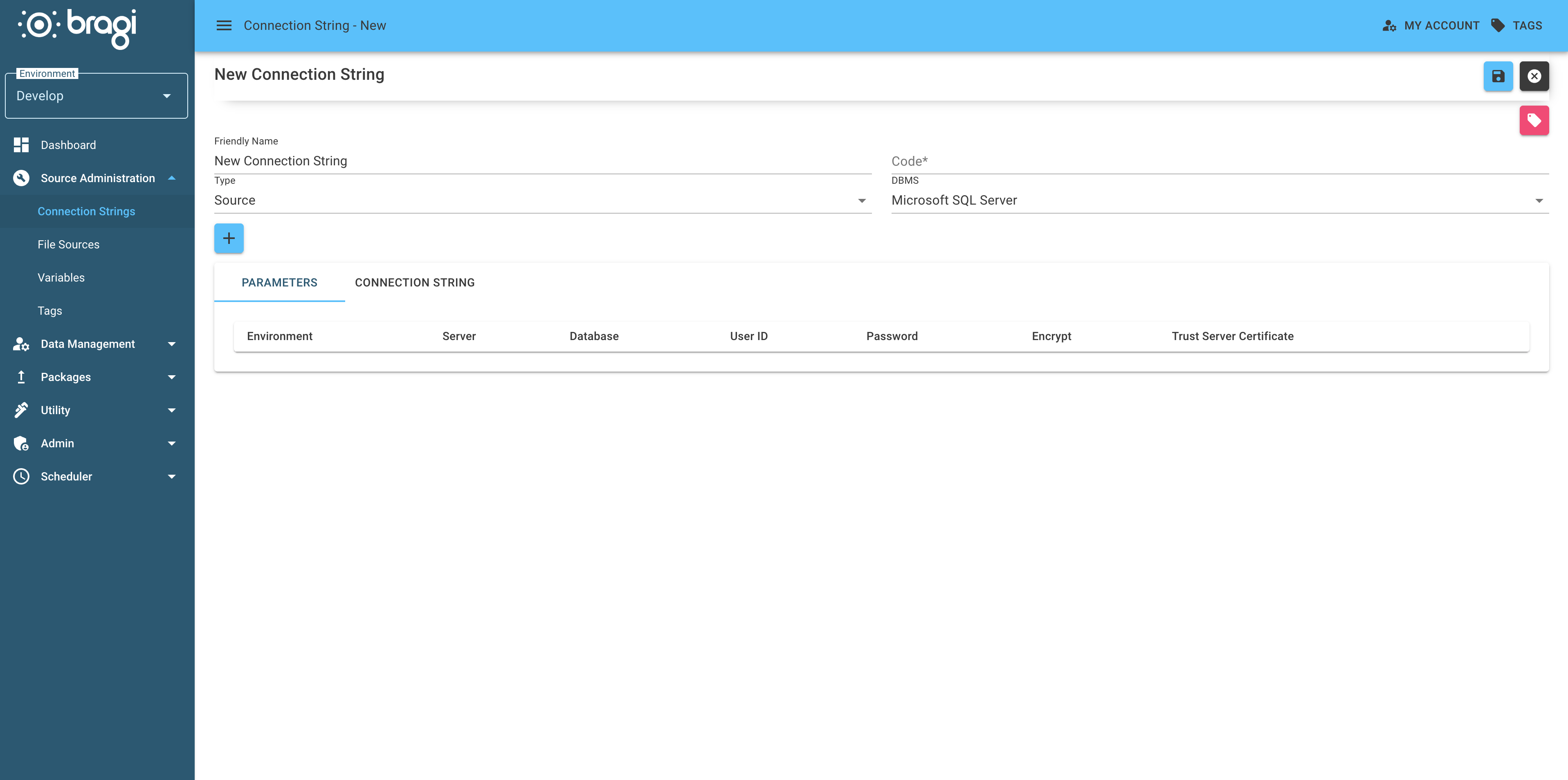
3. Configure Environment-Specific Settings
Bragi can handle different environments independently. For example, your Development setup might connect to a different database than Production.
Set the following for each environment:
Field | Description |
|---|---|
Environment | Name your environment (like Dev, Test, Prod) |
Server | The hostname or IP address where your database lives |
Database | Name of the actual database you want to connect to |
User ID | (Optional) Your database username |
Password | (Optional) Password for your database user |
Encrypt (MS SQL only) | Decide if you want to encrypt the connection |
Trust Server Certificate | Lets you skip strict certificate validation if necessary |
Passfile (PostgreSQL only) | A file that stores your credentials in this format: |
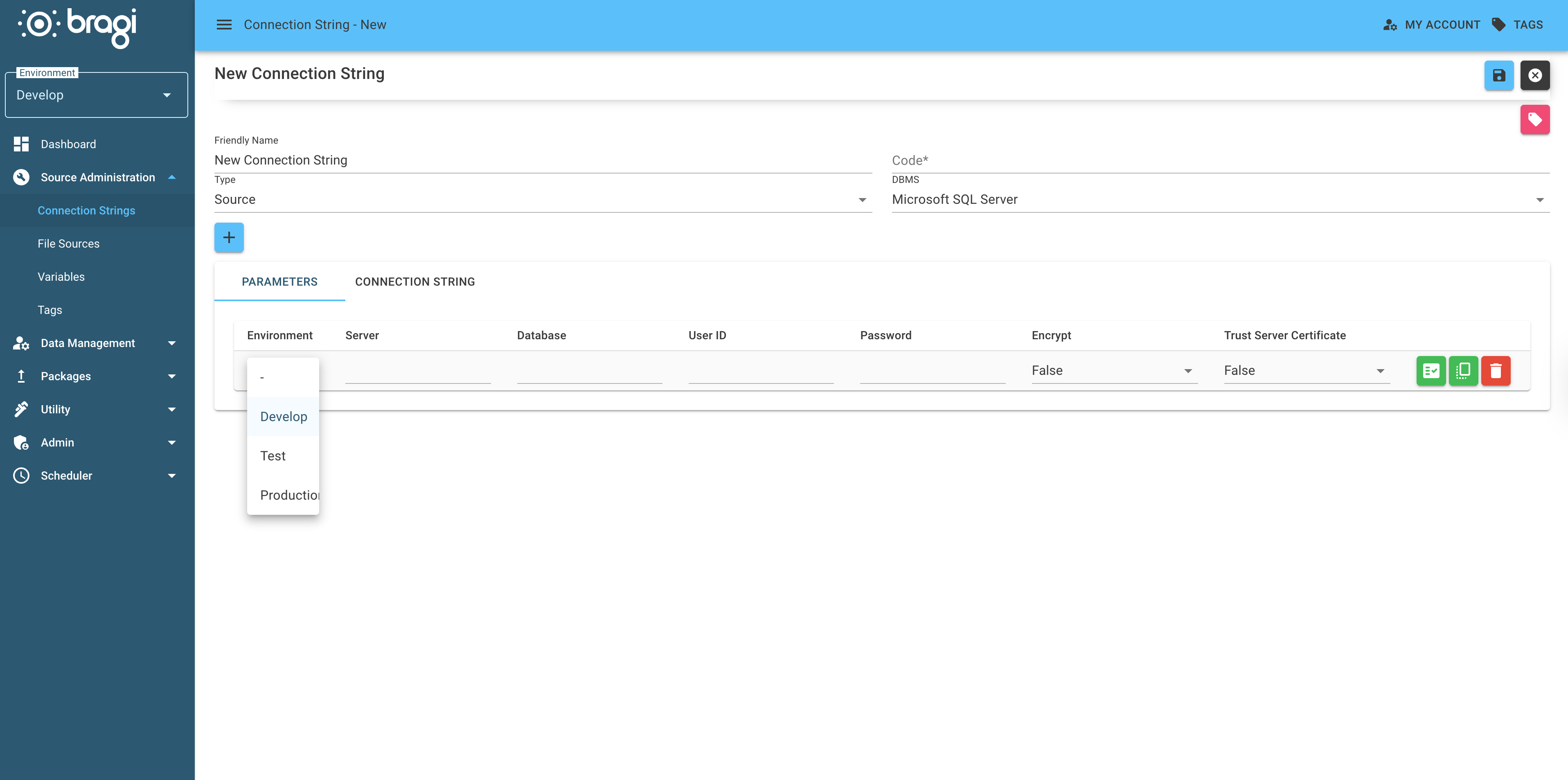
4. (Optional) Edit the Raw Connection String Directly
If you prefer working with raw connection strings and want full control, switch over to the Connection String tab to craft or tweak the string yourself.